
Quick Answer
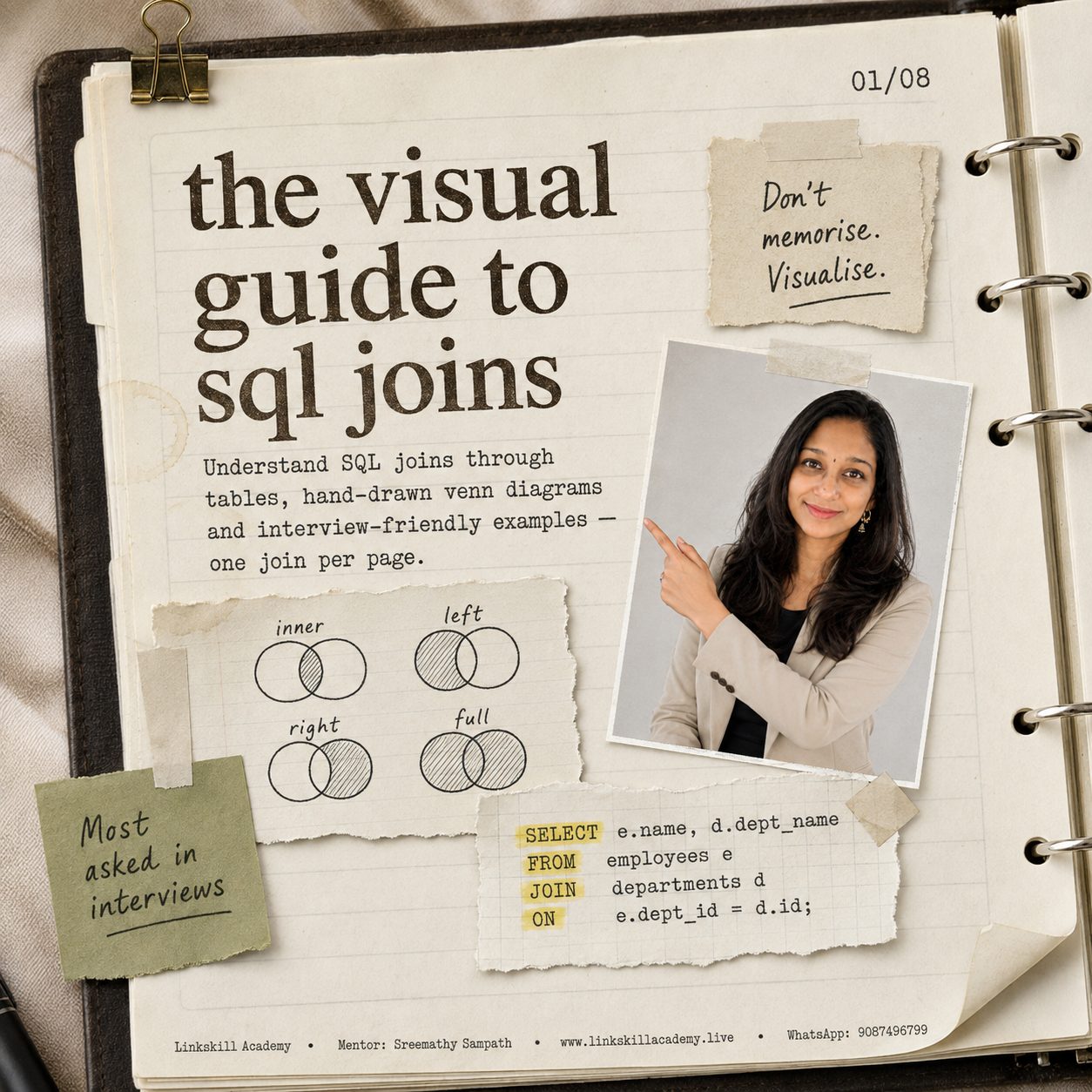
SQL has 6 join types you need to know for real work and interviews: Inner Join (only matches), Left Join (everything from the left table), Right Join (everything from the right table), Full Outer Join (everything from both), Cross Join (every row × every row), and Self Join (a table joined to itself). Each one answers a different business question — this guide shows you exactly which one to reach for, with tables, Venn diagrams and ready-to-run queries.
5 Things to Know Before You Start
- Every join question is really asking one thing: "What should happen to rows that don't have a match?" Once you can answer that, you know which join to use.
- Inner Join is the most common join in real work — and the one interviewers expect you to reach for by default.
- Left Join is the second most common — "give me everything on the left, plus whatever matches on the right."
- NULL is not "zero" or "blank" — it means no matching row was found. This single idea trips up more SQL learners than anything else.
- A Self Join is not a special keyword — it's just a normal join where a table is joined to a copy of itself, using two different aliases.
Don't Memorise. Visualise.
Most learners try to memorise SQL join syntax — LEFT JOIN, RIGHT JOIN, FULL OUTER JOIN — as if they were unrelated facts to cram before an interview. That's why the knowledge doesn't stick. Two weeks later, under interview pressure, it's gone.
The fix is to stop memorising and start visualising. Every join is really just an answer to one question: when a row in one table doesn't have a matching row in the other table, what happens to it?
- Inner Join → drop it.
- Left Join → keep it, if it's on the left.
- Right Join → keep it, if it's on the right.
- Full Outer Join → keep it, no matter which side it's on.
- Cross Join → there's no "matching" at all — pair everything with everything.
- Self Join → same question, except both sides are the same table wearing two different name tags.
Every section below uses the same two tables — Employee and Department — so you can see exactly how the same data produces a completely different result depending on which join you choose.
All 6 Joins at a Glance
| Join | What It Returns | Unmatched Rows Become | Best For |
|---|---|---|---|
| Inner Join | Only rows that match in both tables | Dropped entirely | Reports that should only show complete, valid data |
| Left Join | Every row from the left table + matches from the right | NULL on the right side | "Show me everyone, and their department if they have one" |
| Right Join | Every row from the right table + matches from the left | NULL on the left side | Same as Left Join, mirrored — rarely used since you can just swap table order |
| Full Outer Join | Every row from both tables | NULL on whichever side has no match | Data audits — "show me every mismatch in both directions" |
| Cross Join | Every row from table A paired with every row from table B | N/A — no matching key used | Generating all possible combinations (e.g. sizes × colours) |
| Self Join | A table joined to itself using two aliases | Depends on the join type used (usually Left) | Hierarchies — employees and their managers, categories and parent categories |
Inner Join
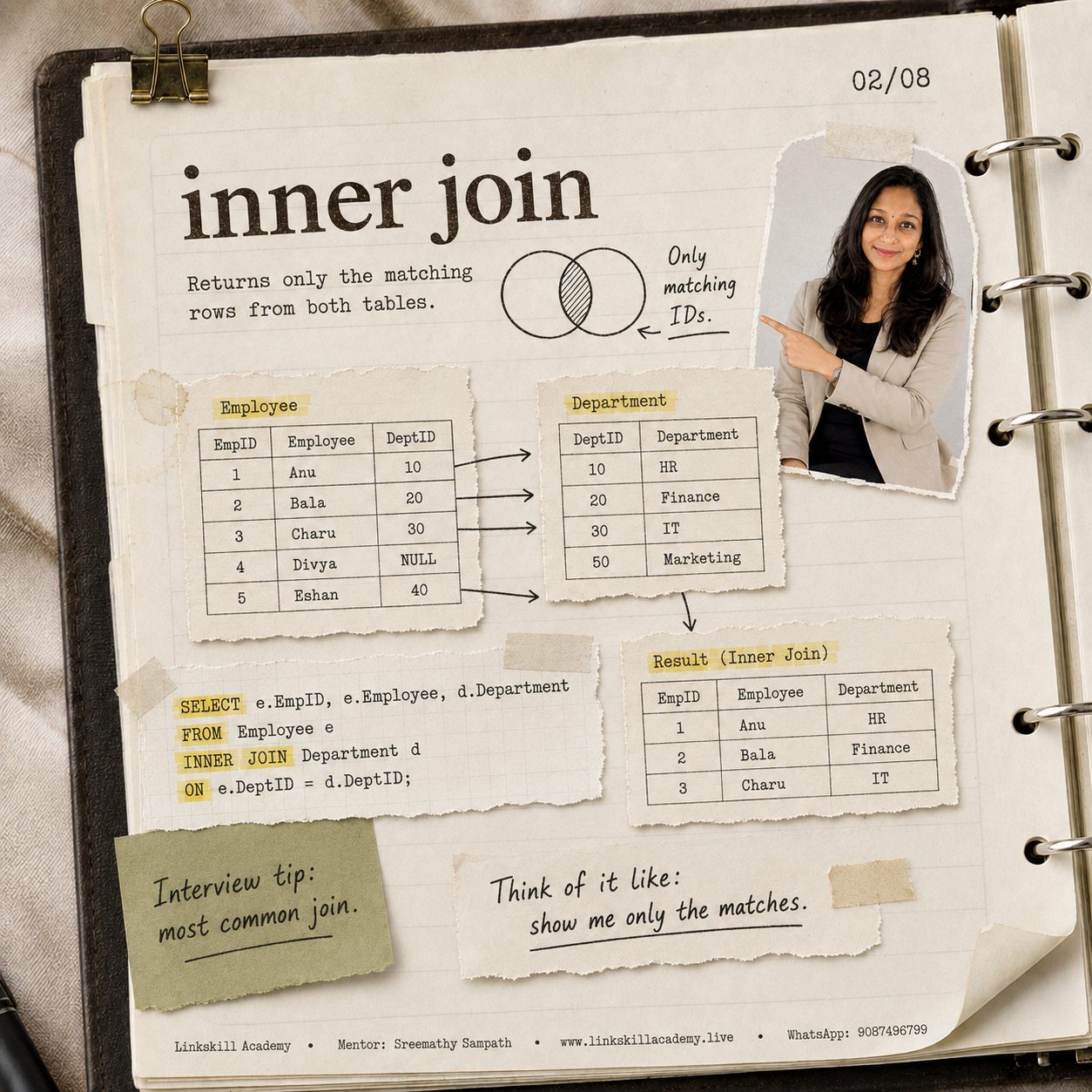
From the Linkskill Academy visual SQL joins journal — page 02/08.
What it does: returns only the rows where the join column matches in both tables. If a row in either table has no match, it's left out of the result completely.
Think of it like: "Show me only the matches."
Employee
| EmpID | Employee | DeptID |
|---|---|---|
| 1 | Anu | 10 |
| 2 | Bala | 20 |
| 3 | Charu | 30 |
| 4 | Divya | NULL |
| 5 | Eshan | 40 |
Department
| DeptID | Department |
|---|---|
| 10 | HR |
| 20 | Finance |
| 30 | IT |
| 50 | Marketing |
SELECT e.EmpID, e.Employee, d.Department
FROM   Employee e
INNER JOIN Department d
  ON   e.DeptID = d.DeptID;
Result (Inner Join)
| EmpID | Employee | Department |
|---|---|---|
| 1 | Anu | HR |
| 2 | Bala | Finance |
| 3 | Charu | IT |
Notice what's missing: Divya (no DeptID at all) and Eshan (DeptID 40 doesn't exist in Department) are both dropped. So is Marketing — no employee belongs to it. Inner Join only keeps rows where both sides agree.
Left Join
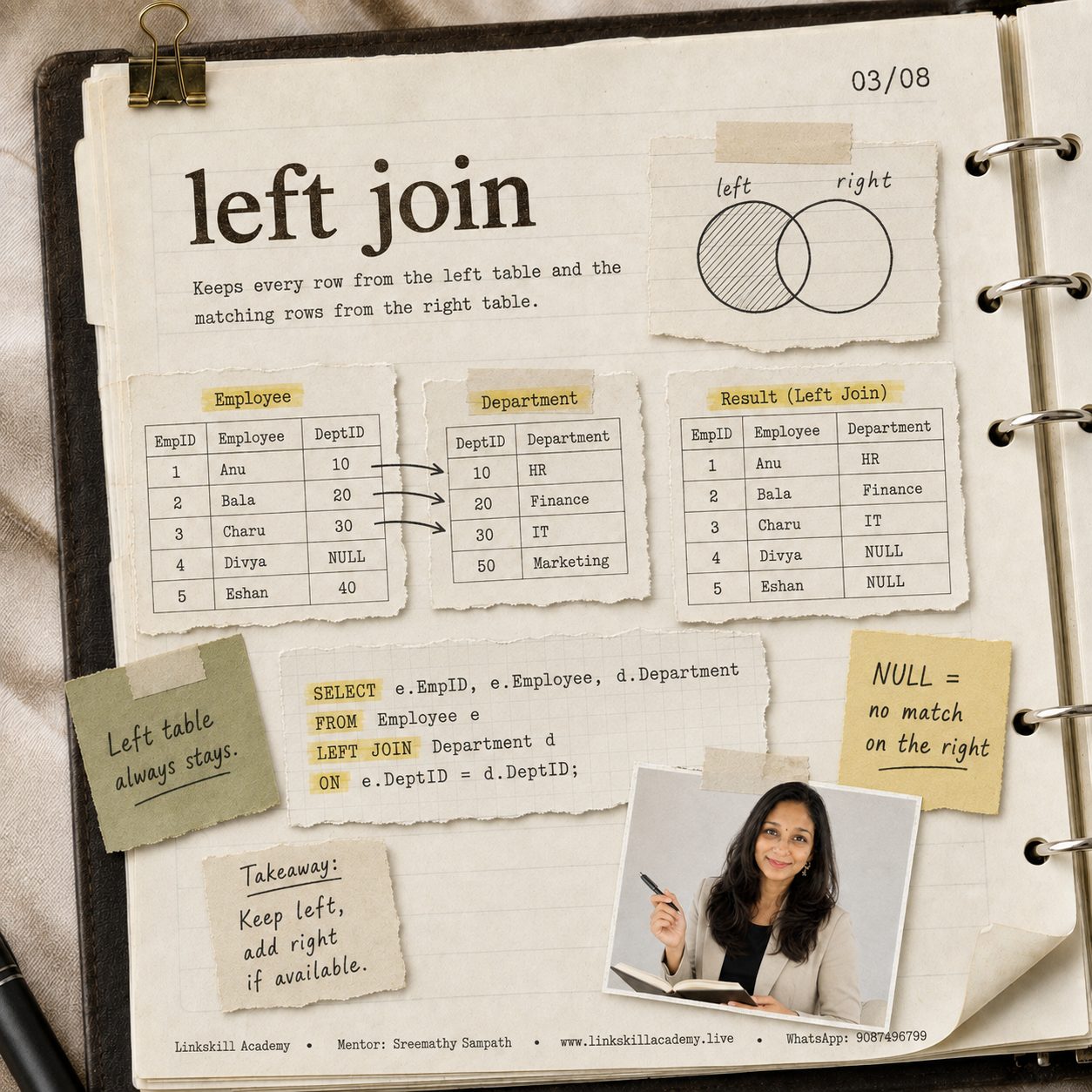
From the Linkskill Academy visual SQL joins journal — page 03/08.
What it does: keeps every row from the left table (the one listed right after FROM), and attaches matching data from the right table wherever it exists. Where there's no match, the right-hand columns come back as NULL.
Think of it like: "Keep left, add right if available."
SELECT e.EmpID, e.Employee, d.Department
FROM   Employee e
LEFT JOIN Department d
  ON   e.DeptID = d.DeptID;
Result (Left Join)
| EmpID | Employee | Department |
|---|---|---|
| 1 | Anu | HR |
| 2 | Bala | Finance |
| 3 | Charu | IT |
| 4 | Divya | NULL |
| 5 | Eshan | NULL |
All 5 employees are present this time — Divya and Eshan just get NULL instead of a department name, since neither has a matching DeptID. Marketing still doesn't appear anywhere, because Left Join only protects rows from the left table.
Right Join
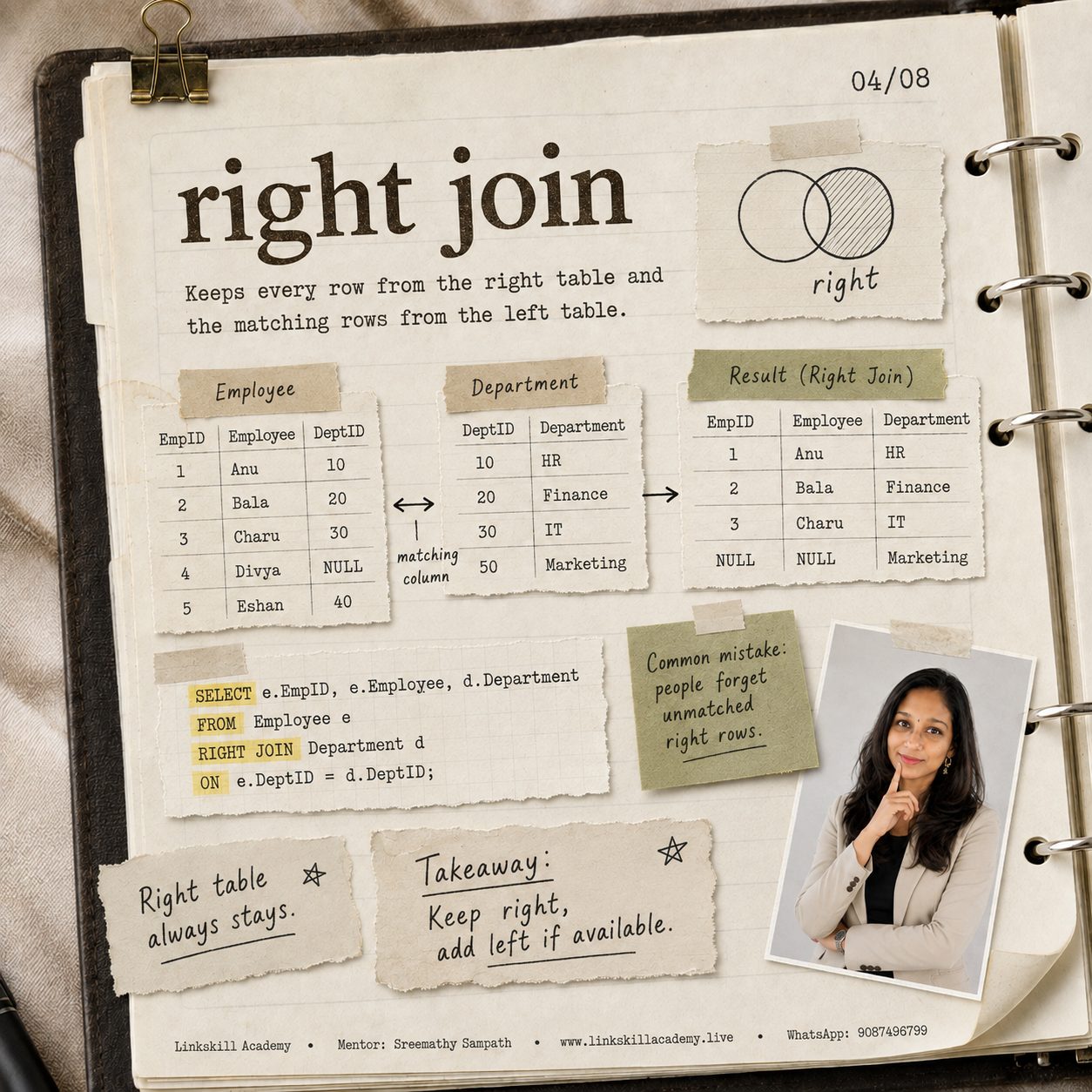
From the Linkskill Academy visual SQL joins journal — page 04/08.
What it does: the mirror image of Left Join — keeps every row from the right table, and attaches matching data from the left table wherever it exists.
SELECT e.EmpID, e.Employee, d.Department
FROM   Employee e
RIGHT JOIN Department d
  ON   e.DeptID = d.DeptID;
Result (Right Join)
| EmpID | Employee | Department |
|---|---|---|
| 1 | Anu | HR |
| 2 | Bala | Finance |
| 3 | Charu | IT |
| NULL | NULL | Marketing |
This time Marketing shows up (with NULL employee columns, since nobody belongs to it), while Divya and Eshan disappear entirely — they have no department, so they're not protected by a Right Join.
Full Outer Join
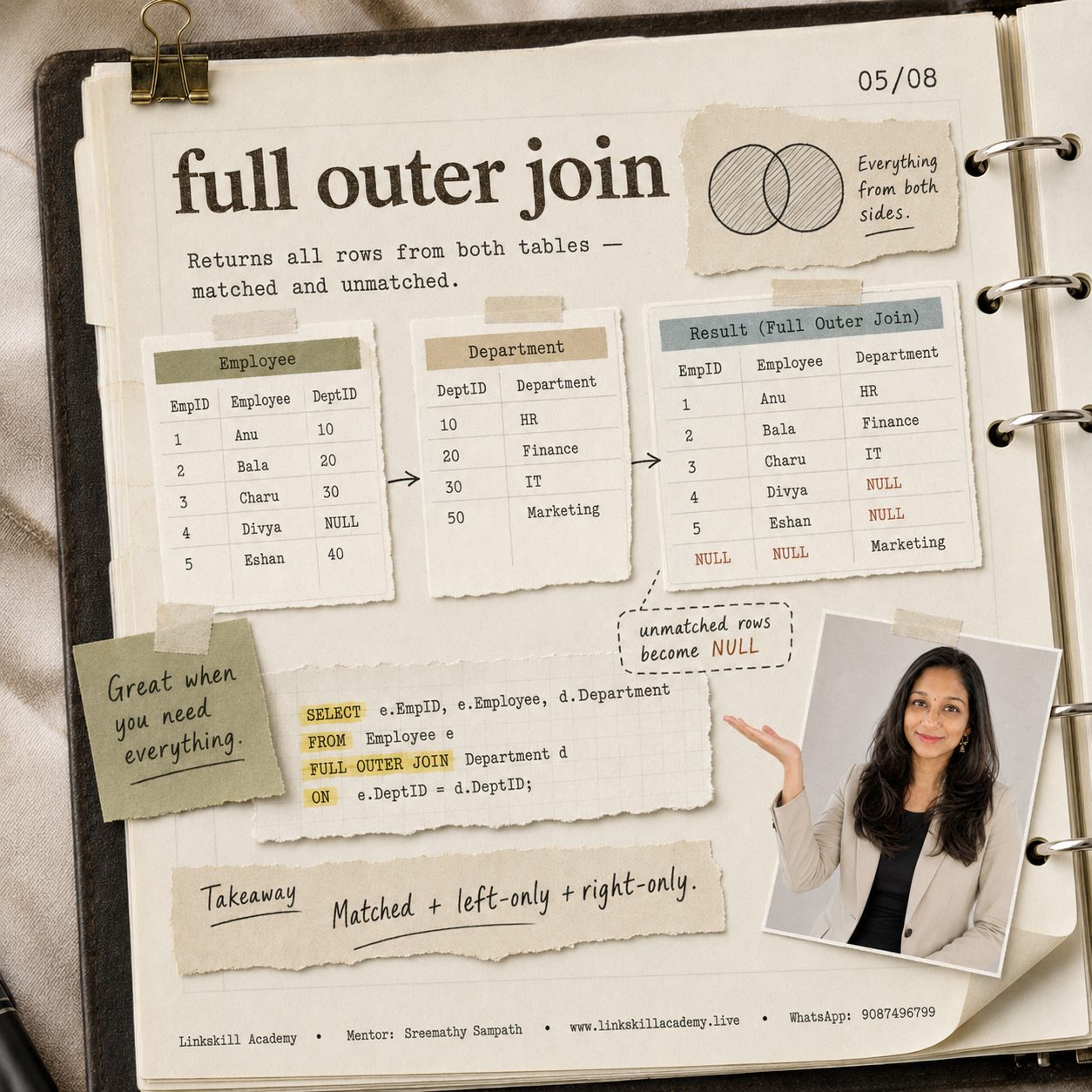
From the Linkskill Academy visual SQL joins journal — page 05/08.
What it does: returns everything — matched rows, left-only rows, and right-only rows, all in one result set. Anywhere there's no match, the missing side comes back as NULL.
Think of it like: matched + left-only + right-only, combined.
SELECT e.EmpID, e.Employee, d.Department
FROM   Employee e
FULL OUTER JOIN Department d
  ON   e.DeptID = d.DeptID;
Result (Full Outer Join)
| EmpID | Employee | Department |
|---|---|---|
| 1 | Anu | HR |
| 2 | Bala | Finance |
| 3 | Charu | IT |
| 4 | Divya | NULL |
| 5 | Eshan | NULL |
| NULL | NULL | Marketing |
Every employee and every department appears somewhere — nothing is dropped. This is the join to reach for when you're auditing data quality and need to see every mismatch in both directions at once.
FULL OUTER JOIN directly — you simulate it with a LEFT JOIN UNION RIGHT JOIN. SQL Server, PostgreSQL and Oracle all support it natively.Cross Join
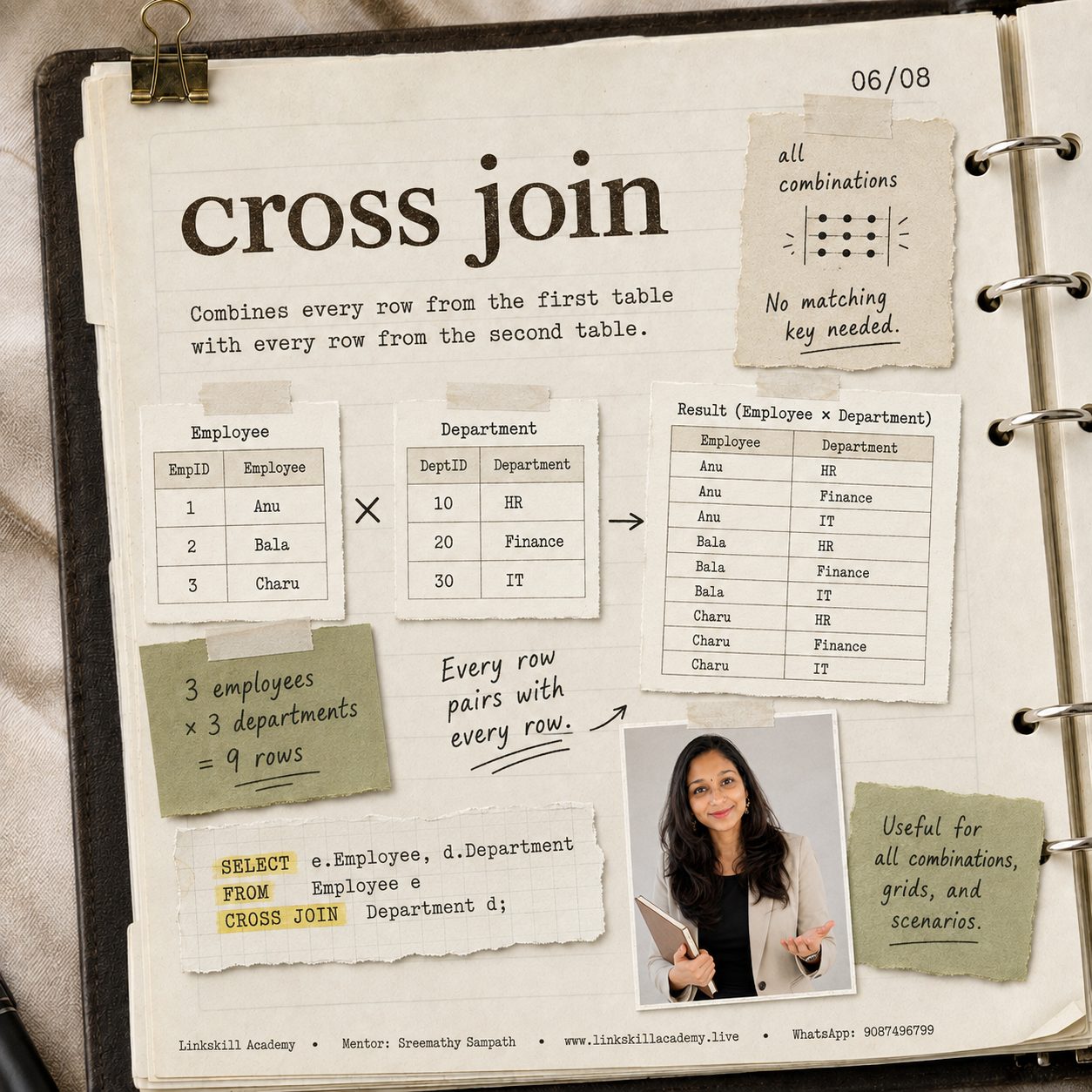
From the Linkskill Academy visual SQL joins journal — page 06/08.
What it does: pairs every row in the first table with every row in the second table. There's no matching key at all — it's pure multiplication. 3 rows × 3 rows = 9 rows out.
Employee
| EmpID | Employee |
|---|---|
| 1 | Anu |
| 2 | Bala |
| 3 | Charu |
Department
| DeptID | Department |
|---|---|
| 10 | HR |
| 20 | Finance |
| 30 | IT |
SELECT e.Employee, d.Department
FROM   Employee e
CROSS JOIN Department d;
Result (3 employees × 3 departments = 9 rows)
| Employee | Department |
|---|---|
| Anu | HR |
| Anu | Finance |
| Anu | IT |
| Bala | HR |
| Bala | Finance |
| Bala | IT |
| Charu | HR |
| Charu | Finance |
| Charu | IT |
Self Join

From the Linkskill Academy visual SQL joins journal — page 07/08.
What it does: joins a table to itself, using two different aliases so SQL can treat one table as if it were two. This is the standard way to model hierarchies — most commonly, employees and their managers, where the manager is also a row in the same Employees table.
Think of it like: one table can play two roles at once.
Employees
| EmpID | Employee | ManagerID |
|---|---|---|
| 1 | Asha | NULL |
| 2 | Bala | 1 |
| 3 | Charu | 1 |
| 4 | Divya | 2 |
| 5 | Eshan | 3 |
ManagerID simply points to another row's EmpID in the same table — that's the whole trick behind a self join.
SELECT e.Employee AS EmployeeName,
       m.Employee AS ManagerName
FROM   Employees e
LEFT JOIN Employees m
  ON   e.ManagerID = m.EmpID;
Result
| Employee | Manager |
|---|---|
| Asha | NULL |
| Bala | Asha |
| Charu | Asha |
| Divya | Bala |
| Eshan | Charu |
Asha has no manager (she's at the top), so her row correctly returns NULL — using a Left Join here means she still appears, instead of being silently dropped by an Inner Join.
Practice Dataset — Try Every Join Yourself
Reading solved examples only gets you so far. Copy the two tables below into Excel, Google Sheets or your own SQL database, and try writing all 6 joins yourself before checking the answers.
Orders
| OrderID | CustomerID | Amount |
|---|---|---|
| 101 | 1 | 2500 |
| 102 | 2 | 1800 |
| 103 | 2 | 950 |
| 104 | 4 | 3200 |
| 105 | NULL | 500 |
Customers
| CustomerID | CustomerName |
|---|---|
| 1 | Ravi |
| 2 | Meena |
| 3 | Suresh |
| 4 | Priya |
Notice the deliberate edge cases: Order 105 has no CustomerID (a walk-in sale), and Suresh (CustomerID 3) has never placed an order. A good practice dataset always includes at least one row on each side with no match — that's exactly where join logic gets tested in interviews.
Question 1 — Inner Join
Write a query that returns only orders that have a valid, matching customer.
Show answer
SELECT o.OrderID, c.CustomerName, o.Amount
FROM   Orders o
INNER JOIN Customers c
  ON   o.CustomerID = c.CustomerID;
Returns 4 rows (Order 105 is dropped — it has no CustomerID to match on).
Question 2 — Left Join
Write a query that lists every order, even ones with no linked customer.
Show answer
SELECT o.OrderID, c.CustomerName, o.Amount
FROM   Orders o
LEFT JOIN Customers c
  ON   o.CustomerID = c.CustomerID;
Returns all 5 orders. Order 105 shows NULL for CustomerName.
Question 3 — Right Join
Write a query that lists every customer, even ones who haven't ordered anything yet.
Show answer
SELECT o.OrderID, c.CustomerName, o.Amount
FROM   Orders o
RIGHT JOIN Customers c
  ON   o.CustomerID = c.CustomerID;
Returns 5 rows. Suresh appears with NULL OrderID and Amount, since he has never ordered.
Question 4 — Full Outer Join
Write a query that shows every order and every customer, matched or not, in one result.
Show answer
SELECT o.OrderID, c.CustomerName, o.Amount
FROM   Orders o
FULL OUTER JOIN Customers c
  ON   o.CustomerID = c.CustomerID;
Returns 6 rows: all 5 orders, plus Suresh with no matching order.
Question 5 — Cross Join
Write a query that pairs every customer with every possible order amount tier: ('Low'), ('Medium'), ('High').
Show answer
SELECT c.CustomerName, t.Tier
FROM   Customers c
CROSS JOIN (VALUES ('Low'), ('Medium'), ('High')) AS t(Tier);
Returns 12 rows: 4 customers × 3 tiers. Handy for building a complete grid before filling in actual values.
Question 6 — Self Join
Add a ReferredBy column to Customers (pointing to another CustomerID) and write a query that shows each customer next to the name of the person who referred them.
Show answer
SELECT c1.CustomerName AS Customer,
       c2.CustomerName AS ReferredBy
FROM   Customers c1
LEFT JOIN Customers c2
  ON   c1.ReferredBy = c2.CustomerID;
Same pattern as the Employee/Manager example above — only the column names change.
Common SQL Join Interview Questions
- "What's the difference between WHERE and ON in a join?" —
ONdefines the matching condition and runs during the join itself (so it can still preserve unmatched rows in an outer join).WHEREfilters the joined result afterward — using it to filter the "outer" side of a Left/Right Join can accidentally turn it into an Inner Join. - "Can you get the same result from a Right Join using a Left Join?" — Yes, always. Just swap the table order. This is why most style guides recommend sticking to Left Join for consistency.
- "How would you find employees with no manager?" — A self join with
WHERE m.EmpID IS NULLafter a Left Join — the classic "anti-join" pattern. - "What happens if you forget the ON clause on a join?" — In most databases, omitting it turns your join into an accidental Cross Join — every row paired with every row. This is a common cause of "why does my report suddenly have a million rows" bugs.
- "When would you use a Full Outer Join in real work?" — Data reconciliation: comparing two systems (e.g., CRM vs. billing) to find records that exist in one but not the other.
Frequently Asked Questions
Which SQL join is used most often in real jobs?
Inner Join and Left Join together cover roughly 90% of real-world queries. Right Join is rarely used in practice since a Left Join with swapped table order does the same job.
Does every database support Full Outer Join?
No — MySQL does not support FULL OUTER JOIN natively; you simulate it with LEFT JOIN ... UNION ... RIGHT JOIN. SQL Server, PostgreSQL and Oracle all support it directly.
Is a Self Join a different keyword from JOIN?
No — there's no SELF JOIN keyword. It's a completely normal JOIN (usually Left or Inner) where a table is joined to itself using two different aliases.
What's the difference between Cross Join and a Cartesian product caused by a missing ON clause?
They produce the same result, but a Cross Join is intentional and explicit. A Cartesian product from a forgotten ON clause is almost always a bug.
How many joins can I use in one query?
As many as you need — you can chain multiple JOIN clauses to pull in data from many tables in a single query. Just make sure each join has its own clear ON condition.
Are joins tested in Data Analyst interviews?
Yes — SQL joins are one of the most frequently asked topics in Data Analyst and Business Analyst interviews in India, alongside GROUP BY, window functions and subqueries.
Want the Detailed SQL Joins Guide?

Get the full handwritten guide with tables, Venn diagrams, SQL Server queries, shortcuts and interview tips.
Don't memorise. Visualise.
Practise all 6 joins on the dataset above, then explain each one out loud — that's what actually sticks before an interview.
Ready to Master SQL for Your Analyst Career?
At Linkskill Academy, mentor Sreemathy Sampath and our team teach SQL the way this guide is written — one visual, interview-ready concept at a time, backed by real practice datasets.
Comment "SQLJOINS" to get the detailed handwritten guide
DM or WhatsApp the word SQLJOINS to Linkskill Academy and we'll send you the full guide — tables, Venn diagrams, SQL Server queries, shortcuts and interview tips, all in one place.
Send "SQLJOINS" on WhatsAppMentor: Sreemathy Sampath · Linkskill Academy · www.linkskillacademy.live · Phone / WhatsApp: 90874 96799